2008 – 2009
Numeracy Works
David Hartmann, who taught geometry and ran the computer lab at Meigs Magnet School in Nashville for ten years, founds Numeracy Works in 2008 with one product prominent in my mind – Tabula
: the teaching and learning tool that I wished for but couldn't find.
The first Tabula is a Mac OS X program. In December 2009 the site offers beta .97 for Leopard and Snow Leopard, free, expiring on Christmas Day, and promises Version 1 available before Christmas!
A phpBB forum opens in January 2010 with a thread asking what features people would like.
numeracyworks.com, October 2009 to January 2010 (Wayback Machine).
2010 – 2011
Rebuilt on Live Geometry
In 2010 Tabula is rewritten on the Live Geometry engine in Silverlight 4, so that it runs on Windows and on a Mac, in the browser or installed out of it. David becomes a co-developer of Live Geometry itself: the compass, ruler and protractor, the marker and eraser, the fold, knife and tape tools, a settings page and much else are written as extensions of the library, and the two projects share a codebase for a while. On May 2, 2011 Kirill announces Tabula on his blog with a four-minute video and ten screenshots, and asks readers to help David spread the news.
MSDN blog, May 2, 2011; the Live Geometry history, March to July 2010.
2011 – 2012
Tabula 2
The product site of 2011 and 2012 sells Tabula at $19.95 a copy through FastSpring, with classroom, lab, school and district licenses, and adds a web page export: any drawing becomes an interactive page played by a small Tabula Player. The site lists folding activities on YouTube, a page on paper folding in math education with a research bibliography, and quotes Arthur Lee of the University of Hong Kong and Jeff Hall of Mercer University. Wikipedia's article on interactive geometry software and the Silverlight Showcase list it.
numeracyworks.com, 2011 – 2012 (Wayback Machine).
2013 – 2015
Labs, and the end
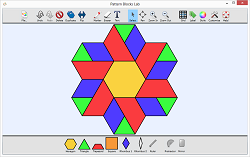
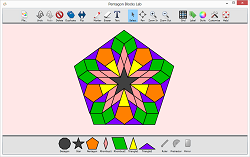
By late 2013 the same shell hosts four apps: Tabula, a Patty Paper Lab, a Pattern Blocks Lab and a Pentagon Blocks Lab. Then Silverlight's own end comes; by August 2015 a reader of the 2011 blog post notes that the domain is vacant and that very little traces [are] left from Tabula
. Nobody bought geometry, nobody could be reached who wanted it, and the platform it stood on went away. What remains is what the Internet Archive kept: this wing.
numeracyworks.com, August to December 2013 (Wayback Machine); comments on the MSDN blog, August 2015.
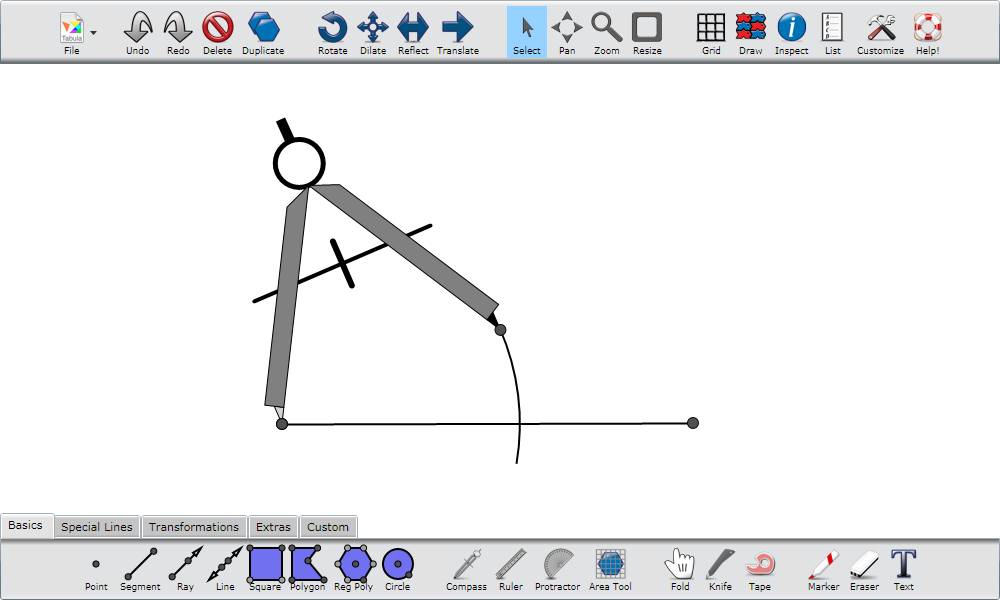
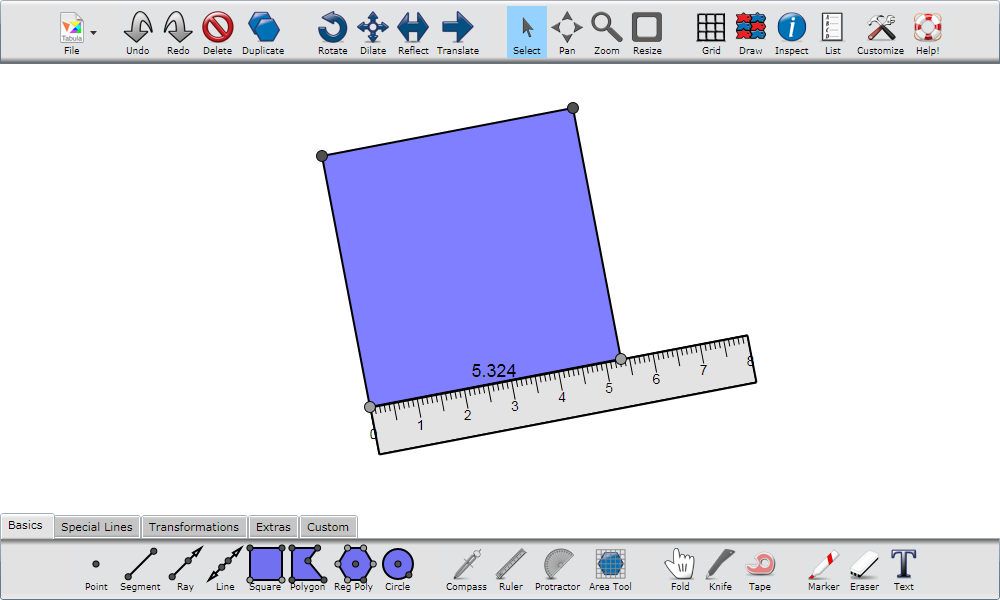
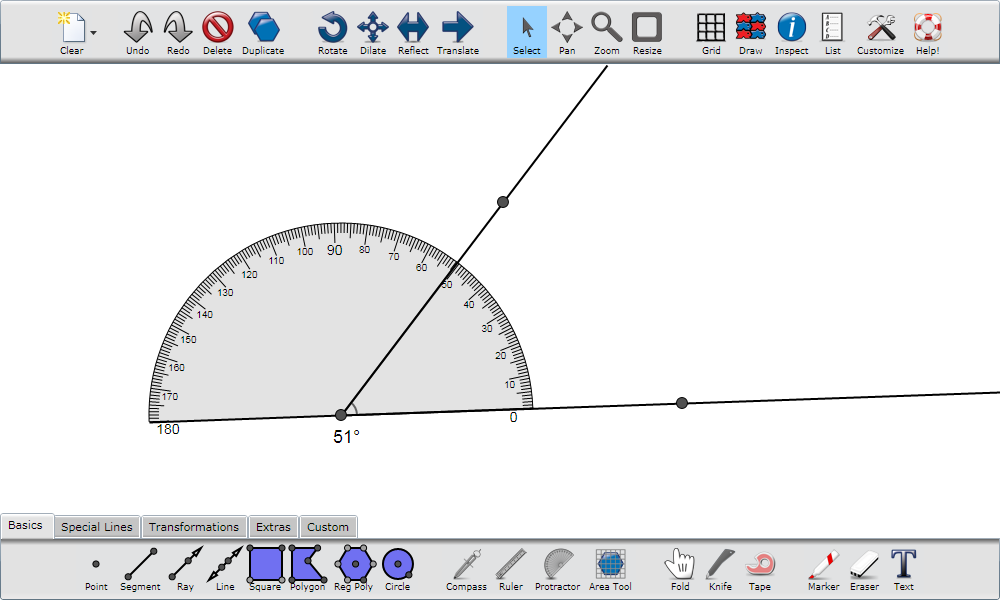
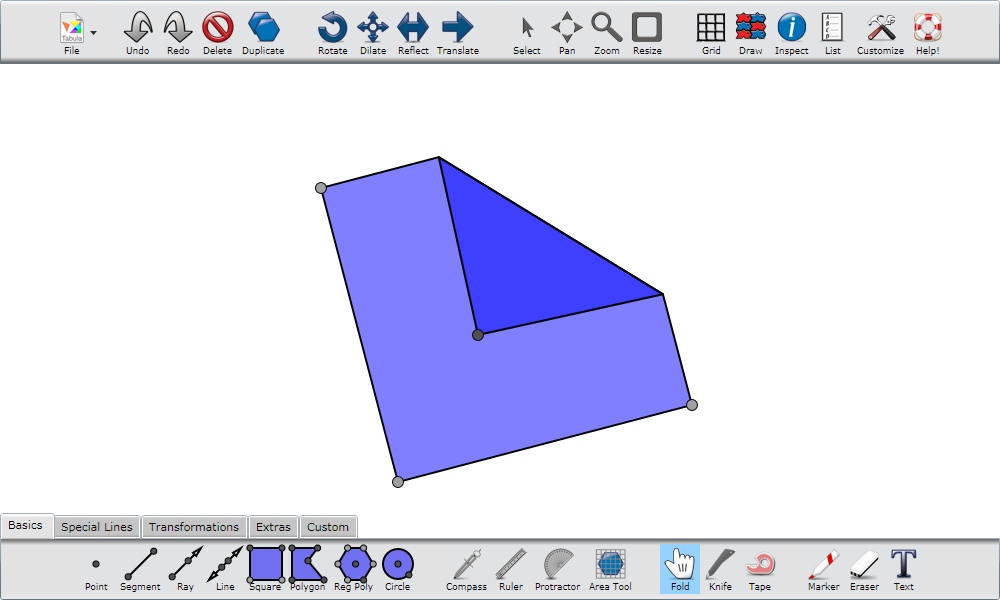
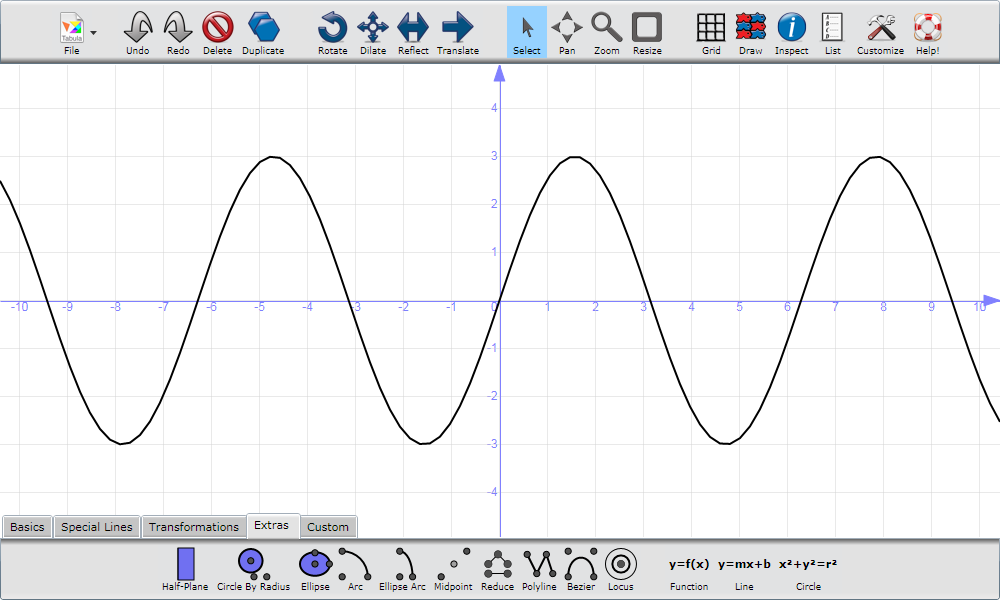
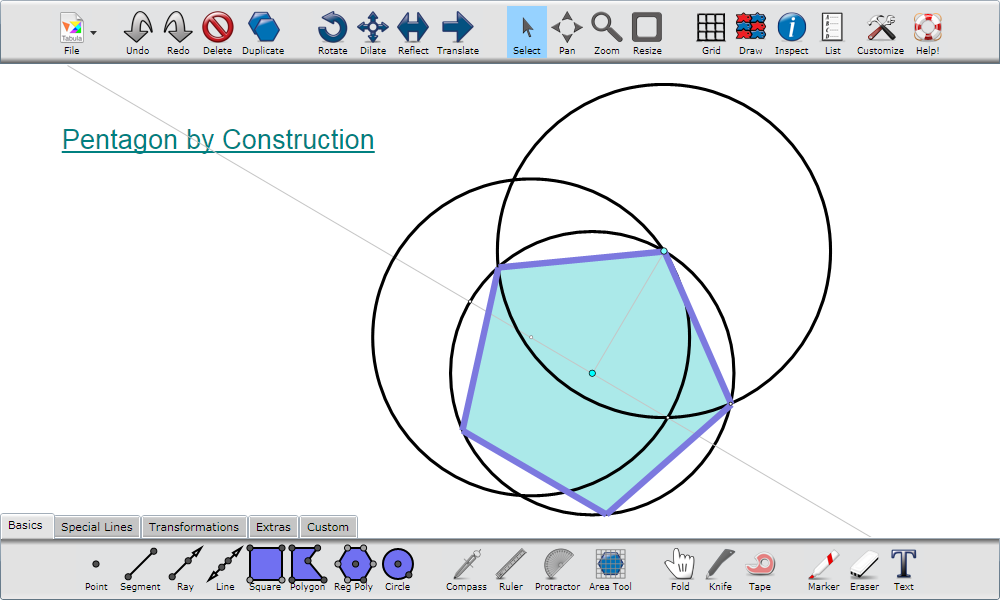
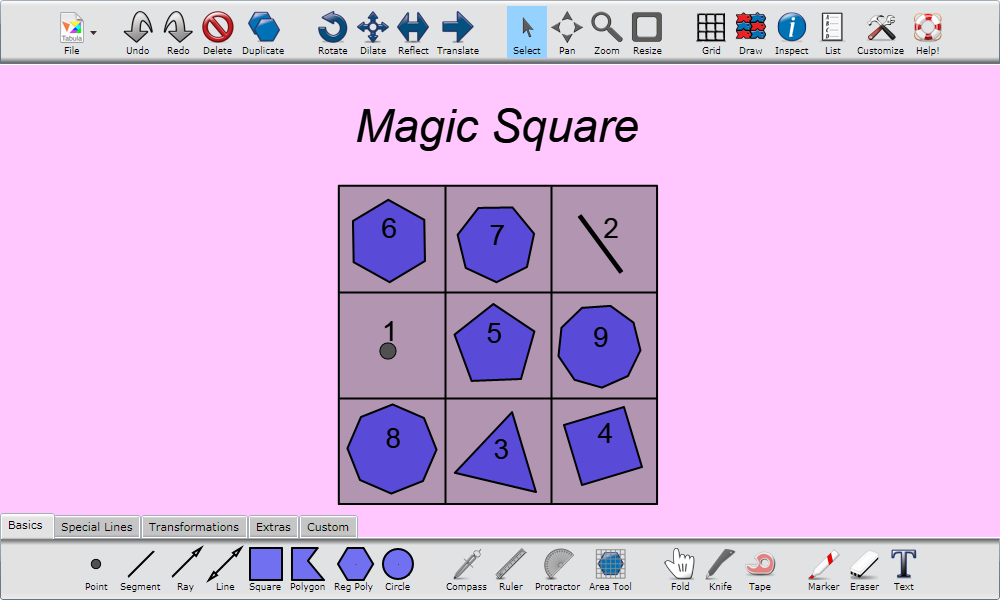
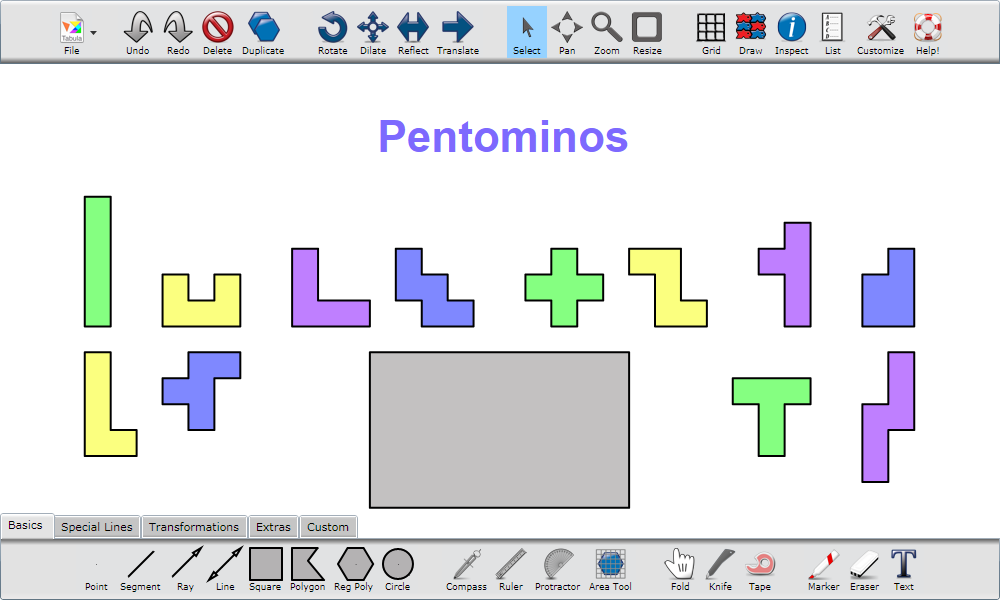
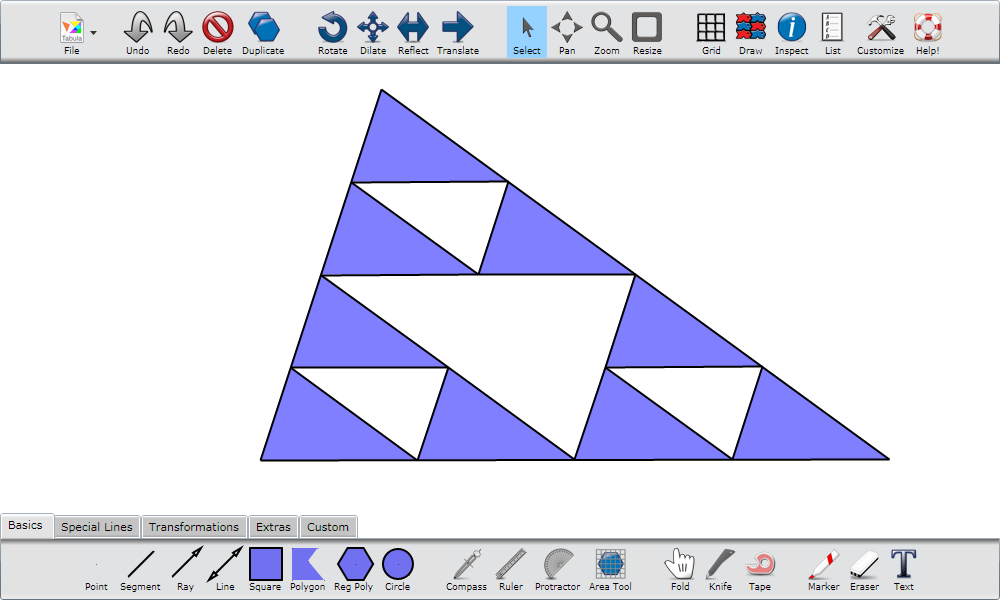
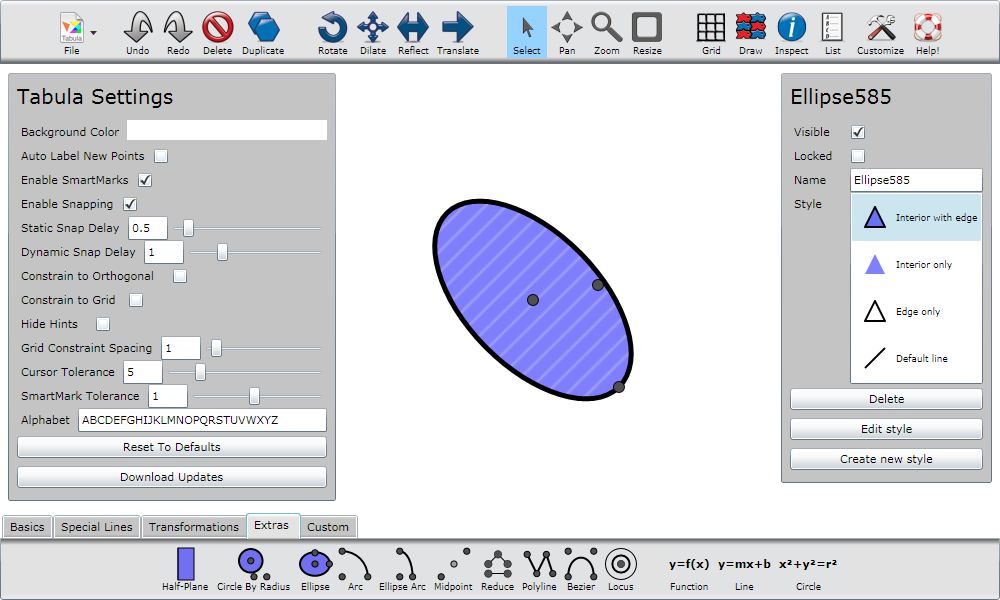
Every picture is the whole window: a toolbar across the top (File, Undo, Redo, Delete, Duplicate · Rotate, Dilate, Reflect, Translate · Select, Pan, Zoom, Resize · Grid, Draw, Inspect, List, Customize, Help!) and a drawer of tool trays along the bottom with the tabs Basics, Special Lines, Transformations, Extras and Custom. The Basics tray holds the figures (Point, Segment, Ray, Line, Square, Polygon, Reg Poly, Circle), the instruments (Compass, Ruler, Protractor, Area Tool), the manipulation tools (Fold, Knife, Tape) and the presentation tools (Marker, Eraser, Text). Points are black dots; a new shape is translucent blue with a black edge; a settings page offers a background color, automatic labels, "SmartMarks", static and dynamic snapping with delays, orthogonal and grid constraints, a cursor tolerance and the alphabet points are named from.
The overview video
The site's four-and-a-half-minute introduction, in the cut of March 2012 (the 2011 announcement embedded an earlier one, now lost), walks through its chapters: Construct Dynamic Figures, Construct Transformed Figures, Construct With A Compass, finding a circumcenter by folding, Transform With A Pushpin (a pin dropped on a vertex, then the figure turned about it), Measure, Use Working Instruments, a mirror that reflects a smiley as it is drawn, and And More: an ellipse driven by a slider, a sine function, a drawing exported as a web page. Its YouTube copy and the whole Numeracy Works channel are gone; the file survived in the Internet Archive and is back on YouTube.
demo.mp4, encoded on March 3, 2012, put on the site on March 8 and captured on March 12; uploaded to YouTube again in 2026.
Tabula in other hands
Arthur Lee, a teaching consultant at the Faculty of Education of the University of Hong Kong, recorded his own lessons with it. Two of them are still up.

Tabula by Numeracy Works
Try it out. Watch an intro video. Play with some examples. See some demonstrations. Tabula is Windows & MacOS compatible using Silverlight, a free technology from Microsoft. A single license costs $19.95. Volume pricing is available.
Introducing Tabula!
- Present – This marker is smart and the text tool can evaluate expressions!
- Manipulate – Fold, crease, cut, and tape like no other program can do.
- Transform – Perform both free and statically or dynamically defined transformations.
- Measure – Use these important instruments to measure and discover.
- Construct – Use a large collection of tools to make basic geometric shapes and graphs.
Tabula is a new dynamic geometry program that supports hands-on learning. Use Tabula to construct, cut, tape, fold, measure, and transform geometric figures. The new version adds incredible dynamic geometry capabilities and even more tools and instruments. Additional features such as dynamic and static snapping and smartmarks make Tabula a great all-around geometry presentation tool supporting a broad range of methods and levels. Oh yeah, one more thing. Tabula is not just for the classroom!
Home.html, 2012.
Tabula Details
Tabula was created by David Hartmann, a math teacher with 10 years of experience at both the high school and middle school levels. David created the program to help students learn and teachers teach abstract concepts through familiar manipulation of shapes. David also designed the program to make transformations as accessible to young minds as possible through animation. Teachers can use the program to lecture and present or to guide and extend activities. Students can use the program to learn and apply concepts. Hobbyists can use unique features such as folding to do what other programs can't. In educational settings Tabula is targeting 5th grade math through high school geometry classrooms.
Transformation
With the aid of animation and a pushpin, figures can be transformed in an intuitive and visually accessible way.
- Rotate – define center and angle
- Dilate – define center and scale factor
- Reflect – define mirror figure
- Translate – define magnitude & direction
Manipulation
Investigate geometric relationships and the results of subdividing and combining shapes. The manipulation tools are designed to mimic and extend what can be done with familiar materials and tools.
- Fold figures such as segments, polygons and ellipticals leaving creases if desired.
- Cut figures along a path.
- Tape polygons together.
- Use a pushpin when transforming.
Measurement
Use these instruments to measure and analyze figures. These instruments double as working models of real instruments. This is excellent for demonstrating usage. Models for both traditional and safety compasses are included.
- Make construction arcs and circles.
- Measure length in cm., in. or unitless.
- Measure angles in radians and degrees.
- Measure the area of polygons.
- Study transformations, congruence, and symmetry with the mirror.
Presentation
With presentation technology such as an interactive whiteboard or projector and screen, Tabula can deliver interactive lessons and activities. Write, draw, and work with geometric objects in a new and exciting way.
- Smartmarks remain attached to a figure.
- Erase marks.
- Add text and expressions.
- Toggle the grid and axes.
More
- Snapping – make relationships (midpoint, point on line, etc.) between figures by dragging them.
- Style – change the appearance of figures.
- File options – print or export your work as an image (png or bmp), web page, or as an xml.
- Expressions – use constants, operations, functions, and references to figures in the workspace.
Construction
Tools for creating shapes are organized in trays. Some (not all) of the tools are listed below.
- Basics – point, midpoint, segment, ray, line, polygon, circle, and more
- Special Lines – parallel, perpendicular, horizontal, vertical, bisectors
- Special Polygons – isosceles triangles, rectangles, trapezoids, and more
- Transformations – rotated figure, reflected figure, translated figure, dilated figure, vector
- Extras – half-plane, ellipse, bezier, locus, function, slider, and more
- Custom – create and add your own tools (e.g. a parallelogram tool).
Details.html, 2012.
Interactive Tabula Examples
The examples below were created using the new webpage export feature. Any Tabula document can be exported to a webpage with custom settings for the toolbar, background, border, size, grid, snapping, and more.
- Use Select, Rotate, and Reflect to fill the rectangular frame with the pentominoes.
- Move the vertices to change the shape of this Sierpinski Triangle.
- Find the center of the circle within the square by folding. Use the fold tool to create two chords and the perpendicular bisector of the chords. The intersection of the bisectors will be the center. To fold a figure grab the figure anywhere with the Fold Tool. To unfold and leave behind a crease click on a folded figure with the Fold Tool.
- Adjust the values of the transformation of the sine function.
The four examples were live Silverlight players in the page; a browser of today shows the captions alone.
Examples.html, 2012.
Tabula Demonstrations
The demonstrations below show a variety of ways that Tabula can used.
- Finding Rotational Symmetry Angle and Order for a Square and Parallelogram
- Using Transformations to Construct a Square Inscribed in a Sector
- A Collection of Folding Activities
- Investigation of the Area of a Circle by Subdivision
- Demonstration Videos Created by Users
The folding playlist held thirteen videos: Triangle Orthocenter, Triangle Incenter, Triangle Circumcenter, Triangle Centroid, Pythagorean Theorem Proof, Trisect an Angle (the method attributed to Hisashi Abe), Make a Tangram, Triangle and Parallelogram Area Formulas, Make An Isosceles Triangle, Make An Hexagon, Make An Equilateral Triangle, Find the Center of a Circle, Make a Golden Rectangle. All of them were on the Numeracy Works YouTube channel, which no longer exists.
Demonstrations.html, 2012; Paper_Folding.html, 2012.
Purchasing A Tabula License
| License | ||
|---|---|---|
| Home/Workplace | 1 copy at the workplace and one copy for each member of a family at home. Only one copy can be used at a time. | $19.95 |
| Classroom | 12 copies in a single classroom, installed for a single user account on each computer. | $120 |
| Lab | 35 copies in a stationary or mobile lab. | $290 |
| School/Institution | Unlimited access within the school; 10 teachers get licenses for home use, students a 1-year expiring home-use copy. | $490 |
| Local School District | Same as School/Institution, applied to all schools. | $950 |
| Home-Use Renewal | Good for 1 year; school $180, district $400. | |
| Workshop | By request. Cost of travel + $100 per day. |
The store was handled by FastSpring and took purchase orders.
What Others Are Saying
I enjoy very much using / playing with Tabula, among other dynamic tools for math teachers and learners. Its special and friendly tools for paper-folding, cutting, taping supplement very nicely common dynamic tools. It supports very well my sharing with learners on manipulatives based geometry tasks.Arthur Lee – Teaching Consultant, Faculty of Education, University of Hong Kong
There are many awesome features, but I especially like the folding capabilities and the drop-pin approach to transformations. Both are very unique approaches and are fun and easy to use. The compass feature for measuring angles was also wonderful and intuitive. I will keep investigating the program further, but it is fantastic already. I am very impressed!Jeff Hall, Assistant Professor of Education, Mercer University
Tabula On the Internet
- Listed in Computing Technology for Math Excellence.
- Listed in Origami Resource Center.
- Described in Kirill Osenkov's Blog.
- Included in Wikipedia's Interactive Geometry Software Article.
- Included in the Silverlight Showcase.
Purchase.html, 2012.
Support
If you need help, a web based Help Menu is available from within Tabula. If you are unable to find the answer to your question, I will be glad to try and answer your question or take your comments by email. At this point Tabula is new and has a small enough userbase that I am able to provide support directly.
Thank you for your interest in Tabula, – David
The support page of 2010 listed the help videos built into the program: getting to know the interface; working in the workspace; using the drawer; using the toolbar; performing transformations; manipulating objects by cutting, taping, and folding; the instruments: ruler, protractor, compass; the many uses of the pushpin.
Support.html, 2012; the same page, January 2010.
About Numeracy Works
I founded Numeracy Works in 2008 with one product prominent in my mind – Tabula. My goal was to create the teaching and learning tool that I wished for but couldn't find. My hope was that experience teaching math and technology would allow me to create a program that would be useful to others as well.
Who am I? My name is David Hartmann. For ten years I taught geometry and ran a computer lab at Meigs Magnet School which is a middle school in Nashville Tennessee. For two years I taught a course on instructional technology at Tennessee State University. I also taught Geometry and Applied Problem Solving at Evans High School in Evans Georgia. I currently am working full time on developing Tabula.
Tabula is built upon a dynamic geometry library developed by Kirill Osenkov to which I also contribute. This library together with an interface also created by Kirill is called Live Geometry and can be viewed at livegeometry.com. The code to Live Geometry is open source and available through his codeplex project.
About.html, 2012.
Paper Folding in Math Education
Throughout my career as a math teacher I've had students cut, fold, tape and manipulate paper in a number of ways. The goal was to learn geometric properties in an active, hands-on, and usually collaborative means. I always felt a great deal of success in this approach. Recently, I've been developing a computer program called Tabula that works with virtual shapes much as one works with paper shapes. My interest and knowledge in this kind of manipulation, in particular folding, has grown. I've created this web page to share what I've learned.
Benefits of Paper Folding
What are some of the benefits of paper folding? It is a manipulative. The effectiveness of manipulatives is well documented by research. It is accessible. Both ordinary paper and patty paper are cheap. It tends to be a positive experience. Coad makes a good case for the positive affect associated with paper folding. All traditional compass and straight-edge constructions can be performed plus additional constructions such as the trisection of an angle. There are also many resources available. Perhaps the best known resource in education is Michael Serra's Patty Paper Geometry.
Approaches To Paper Folding
One approach to paper folding is origami. Origami has the benefit of a long tradition that includes an artistic aspect. The research on paper folding is primarily on origami. Research by Norma Boakes, for example, suggests origami is an effective approach in the math classroom. Another approach to paper folding I've seen is a formalized/axiomatic one. Basic folds are established as axioms which sets up a system conducive to proofs and rigor. Olson and Coad provide good examples of this. One more approach, and these approaches are by no means exclusive, is an investigation approach. This is the approach I took. Folding is done to manifest properties and justification can be systematic or sometimes intuitive.
Dynamic Geometry Software and Paper Folding
What about dynamic geometry environment (DGE) and paper folding? I will shy away from saying anything definitive. Jones notes in his journal article that "DGE cannot provide a self-contained environment but that other activities are needed for students to make progress in mathematics." Perhaps paper folding could be one of the other activities. In the progression through the Van Hiele levels, paper folding as well as other manipulatives, would seem appropriate at an earlier stage than DGE. DGE is a great tool, but there are issues to consider such as the amount of procedural knowledge and student readiness. Perhaps for many, the best relationship for DGE and folding might be a complimentary one.
Research Bibliography
- Sowell, E. (1989). Effects of manipulative materials in mathematics instruction. Journal for Research in Mathematics Education, 20(5), 498–505.
- Suydam, M. N.; Higgins, J. L. (1977). Activity-Based Learning in Elementary School Mathematics: Recommendations from Research. ERIC/IRC, Ohio State University.
- Boakes, N. J. (2009). Origami Instruction in the Middle School Mathematics Classroom: Its Impact on Spatial Visualization and Geometry Knowledge of Students. Research in Middle Level Education, 32(7), 1–12.
- Jones, K. (2002). Research on the use of dynamic geometry software: implications for the classroom. MicroMath, 18(3), 18–20.
Other Folding and Manipulatives Resources
- Mathematics of Paper Folding at Wikipedia.
- Patty Paper Geometry by Michael Serra (Key Curriculum Press).
- Proving the Area Formulas by Paper Folding, by Yun Quan Zhang.
- Mathematics Through Paper Folding, by Alton Olson, University of Alberta.
- Improving Mathematics Teaching by Using Manipulatives, by James W. Heddens, Kent State University.
- Paper Folding in the Middle School Classroom and Beyond, by Lance Coad.
Paper_Folding.html, last updated June 27, 2011.
The first Tabula, for the Mac, 2009
Before the Silverlight rewrite the site read differently. The home page of October 2009: Tabula is a new software program for math instruction that joins the conveniences of a presentation program with the tools specific to teaching geometry. Tabula also excels at modeling math concepts such as fractions and factoring with geometry. A novel set of manipulation and transformation tools encourages activities that use paper, scissors, straight edge and other hands-on items. Tabula is tailored to late elementary and middle school math through high school geometry. It is best utilized on an electronic whiteboard (e.g. Smartboard®) or a computer connected to a projector or TV.
Under Present · Transform · Manipulate · Measure and Construct: Fold, cut, tape, and use a pushpin just as they are used in the real world.
The download page of December 2009: Version 1 available before Christmas! Tabula is almost finished. I need teachers or indeed anyone to try the program and offer feedback. The free beta version now available for download still contains bugs yet is highly usable. No limitations are built in. It will expire on December 25th.
Requirements: Mac OS X Leopard (10.5) or Snow Leopard (10.6). The current beta version is .97.
The details page of January 2010 lists what that version did: fold objects and create creases; cut objects along creases or anywhere else; tape objects back together; a pushpin that works just like it does on a pegboard
; rotation, dilation, reflection and translation vectors placed in the workspace, with optional animation; a customizable grid with control over spacing, angles, thickness, and color. Includes isometric and 60º
; a working demonstration compass, a ruler in centimeters and inches, a protractor; printing and export as TIFF and PDF; a boundless workspace.
Home.html, October 2009; Download.html, December 2009; Details.html, January 2010.
2013
The labs
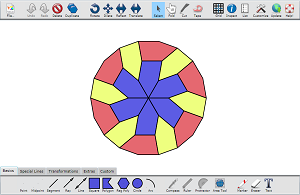
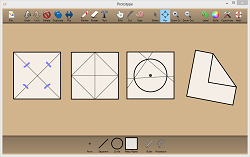
The last captures of the site, from the end of 2013, show four apps side by side in the same shell: Tabula itself, and three labs built from it for younger hands. Only these small pictures of them survived.
numeracyworks.com, December 27, 2013 (Wayback Machine).